Choose Your Language

Saturday, 26 July 2014

Conversations (Advanced Application)

I realised a better way of writing conversations in the NWN2 editor this week ... or rather, I reminded myself of a way of writing conversations that I meant to blog about before, but forgot to do so. It involves using a "non-accessible" entry on the conversation in question, and is why I thought this might be considered an "advanced" application when writing conversations. After I have described what it involves, this may be something you have always done, or something quite simple, but it does go against the norm for me and is why I am blogging it. It may also be helpful to others.

Natural Unreachable Nodes

The whole concept basically relies upon what I have defined as "Natural Unreachable Nodes" (NUN for short), which basically means having lines of conversation added to a conversation file on nodes that cannot be accessed by any "normal" means during a conversation. I will try to explain that a bit more using a diagram:

Natural Unreachable Nodes
In the above conversation, the large boxed section at the bottom is what I call the NUN. Notice that I have made sure this is the case by adding the gc_false script as a condition. (See point 5 above.) i.e. It can NEVER appear in a conversation by any "natural" flow of events.

Now this NUN section can be accessed by the main conversation at any time with any normal conditions required. Note, in the conversation nodes just above the boxed NUN section, you can see three greyed lines (the first being "Be more demanding!"), each of which jumps the player into the NUN section of the conversation.

What's The Point?

It may be that you can see the advantages of this already, but in case you don't here is the advantage of this type of structure:-

If I wanted to make use of some (or all of the nodes) that are further down the conversation with some of the nodes back up the chain (and without offering the same group again), not only can it get very complicated to keep track of lines in the first place, but can also get complicated with any variables we are trying to keep track of along the way (even if we use the "show only once per game" option for a node).

AN EXAMPLE: In the above, the player first gets the option to choose "Be more demanding!", "Be more persuasive!" or "Be more Diplomatic!". (See points 1 and 4 above.) Once they have selected any one of these, then the link can be to the same node regardless of the player's choice. i.e. If the player chooses "Be more persuasive!" instead of "Be more demanding!", the connected link can be to the same node. i.e. Whatever the player chooses from the first option always goes to point 2 in the diagram; and whatever they choose after that, always goes to point 3 in the diagram above. However, the builder can track variables more easily by noting the "path" the player takes through the choices they make along the way.

If that still does not make sense, below is an exercise you can try to do that (I hope) will demonstrate the point I am trying to explain. Try to design a conversation where the player starts with three choices such as:-

"Be more demanding!"
"Be more persuasive!"
"Be more diplomatic!"

Now, from every one of those options have the possibility of each having three more options that offers the player three new alternate paths. i.e. Every node above should have:-

"More demanding!"
"More persuasive!"
"More diplomatic!"

And from every one of these nodes, yet three more nodes for each node above, such as:-

"Even more demanding!"
"Even more persuasive!"
"Even more diplomatic!"

You should see that the number of lines required quickly escalates, and how controlling access to these lines outside of the natural flow of the conversation is easier to control.

Limitation (Minor)

This system does have a limitation, in that in relies on the response from the NPC or object being the same for each option the player may choose. However, this is NOT necessarily a limitation, for in these kind of situations, we are usually just looking for the "choice of path" the player is making, which can check variables along the way and eventually determines the final outcome based upon those variables on the player's chosen path.

That's all again for this week. I did consider uploading a video to demonstrate something I have worked on this week, but felt it was too much of a surprise spoiler, so decided against it. The good news, it's another step closer to finishing .... :)

Thursday, 10 July 2014

Development Continues ...

As I was working on the button puzzle mentioned in the last post, I discovered I needed similar functions I have used in a number of previous puzzles. So, I decided to move those functions into a new library and associate the new library with those scripts ... and all went smoothly! I just had to mention that after all the problems I had with the includes of late.

Other development has included continued work on the bestiary (adding info on the creatures that the first module includes); creating encounters (and reworking the way the encounter system works to allow for better response); continued conversation write up, and puzzle scripts.

That's all I can say this week, as it's all finishing doing what I have already talked about. But that's good right?

So, maybe this week can be one of open comments .... i.e. Is there anything you want  to discuss about the module that I can go into more detail in my next post? Anything you are not clear about? Just want to know more about a specific mechanic? Anything sound like it might be frustrating? Feel free to post your comments ... all welcome!

Monday, 30 June 2014

A Slow Down Moment

To the point ... I have had a rough couple of weeks ... more than usual, and not been able to concentrate much on module building. In the little I did do, I experienced the familiar crash on exit due to altering another include file. This really should be the last time though, as I have no need (as far as I can see) of needing to alter them again. And if I do, I will resort to copying functions into the script in question and slightly renaming instead.

Annoying Include crash on toolset exit ... Again!
Hopefully, I will improve in the coming days and increase what I can do. I am not totally out of the picture, just no doing enough to especially report on.

A quick edit to show a scene I am working on ... This was quite hard to do!

Small statues above and off the normal walkmesh!

Wednesday, 11 June 2014

Where Does The Time Go ... ?

While putting a module together, it is quite surprising about what can come along both "externally" and "internally" to sway you from continuing smoothly. Life events are the obvious ones that can stop you from having the time or inclination to continue building, but the internal issues a builder can come across can also impinge on their creativity ... and slow building down. I have had a number of events from both camps in the last few weeks; here are some of the internal ones ...

Lighting Problem (Again)

I experienced something similar to this a while ago (in water), and thought I had found a way around the solution by simply adding some "hidden lighting". However, this latest light issue, as I later was told, was due to having too many lights in any one area! Take a look at the screenshots to see the kind of problems I mean:-

Obvious Light Glitch In Water!
Obvious Light Glitch On Land!
In the end, I resolved the issue by approaching the problem from two angles. First, I wrote a piece of code that helped determine if there were too many lights in range of each other, and to prevent creation of the normal light if there was. Secondly, in such situations where another light would have caused the problem, I made an "alternative light" to the one that would normally have been made, which had a much smaller range. The end result was that the scenes still had "lights" which looked good, but the light issue no longer appeared.

Toolset Crash (On Exiting)

I mentioned this last week, but mention it again because I encountered it again this week. This problem relates to "Include" files that a builder can add as "libraries" to their code, which gives them access to other functions they or others have written. The problem is, if these includes are not added carefully, and they clash with other references to other includes (and refer back to themselves), then the toolset gets confused (like that last statement I just wrote) and causes a crash when exiting. Sometimes (if many scripts are involved) it can take a while trying to work out which file is the culprit. Thankfully, after my last sort out mentioned in my last post, it did not take so long to track down this time. Furthermore, I don't think I will be needing to mess around with these for a while now.

New Material

Now, I quickly want to note that having new material is always a blessing! However, when we get it, it requires integrating into material we may already have, and that often involves reworking of existing code. (See also the "Includes" issue above.) As my own module has quite an amount of unique gameplay, I find that I often have to rewrite scripts that come with the new material to make work with my own. I have had to do this with a number of scripts in the last couple of weeks. Also, some new material like that I have been working with this week comes with 2da (two-dimensional array) file changes, which can also affect other related objects you may already have in place in a module. Sometimes these "clash" and lines need to be re-aligned with objects to make work again.

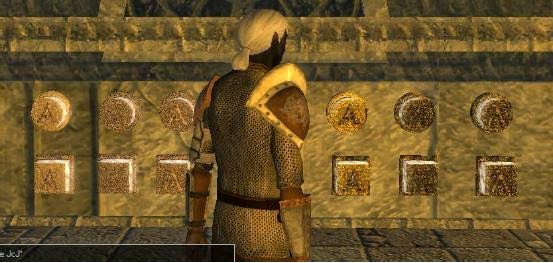
These Buttons Also Glow When Activated!
This is a link to the new material I have incorporated this week: Levers and Buttons. It is a great package to add to your mod, as it allows the addition of more moving levers and buttons that push, as well as pressure plates and trap doors. The buttons are an excellent inclusion, as they also allow scripters to make puzzles due to their ability to have different letters and numbers on their face. However, you have to script the puzzle yourself .... which is another reason more time is required when adding new stuff like this.

Other Things

The above are just some of the more obvious events that have occurred in the last few weeks, but there have been other small issues like:-

1) Poisoned Ammo: Not working as expected when used by a monster. In the end, it required a number of small tweaks with the setup to make the ammunition work as it should! (If you have this problem, I can discuss what I did to make it work.)

2) Fading Between Areas: I use a fade to black between transitions. In the end I had to edit my own function further (and write a new one for conversations) to take into account fades that were interfering with On Area Entry conversations.

3) Missing GUI Information: A simple case of one GUI needing the idleexpiretime adding to allow the default setting to display.

The bottom line is, in the time I am able to put aside for module writing, I find that with each addition I make, I am sometimes having to amend existing material, which affects the total amount I had hoped to get done. As I have always said though .... these kind of internal issues are becoming less and more easily overcome as I get nearer to completion.

As far as I am aware, I really have reached the point where I no longer have anything else I need to add that will require too much additional time to implement, thereby taking me away from finishing the whole module! In my notebook, I now have only a few (about five) major categories left to finish:-

1) Existing area needs puzzles adding & final encounter. (Possibly new button puzzles.)
2) Existing area needs special journal code adding to do with a specific quest.
3) A number of complicated conversations need finishing.
4) Would like to consider adding some more Lore Pages.
5) Finish off last two side quests I just added.

There are some other minor things that need dealing with, but are not the type that require any additional coding as far as I can see at the moment.

Monday, 26 May 2014

Lots of Little Things

Have you ever had the toolset crash as you exit it? If you have used the toolset and know how having the "include" files not quite right causes this problem, then you know what I am talking about. It's a pain to track down sometimes ... and this was one of them. At least, I knew where the problem lay, but did not like the idea of having to go through sorting the various includes to get to the bottom of the problem. Suffice to say, I got there in the end, and now the toolset closes fine again after I finish doing a little more on the project. Furthermore, the code has been cleaned up and streamlined again, with a couple of "module" includes amalgamated into one, which makes changing aspects for the module a lot easier, and means I only need change one file for module differences when I finally get onto my next modules.

The above problem was caused by me fiddling with a number of new additions I am looking at, from 1) adding a bestiary (see latest screenshot), 2) adding Kivinen Item Placeables to my campaign (which required me having to rewrite the scripts to work with my campaign), 3) to making use of some new buttons and levers that Thierry (aka 4760) has been working on. This last addition has the potential to add a lot of classic dungeon puzzles and events, which I am looking forward to implementing when Thierry eventually releases the final product.

Opening Bestiary Page and Animal Selected Page

The World of Althéa Website

I finally decided to abandon Mediafire and close my account with them, as both uploading and downloading files with them was a complete pain and caused issues with my website. I now use Microsoft Onedrive, so users should be able to download my book, "Deep Within", and past synopses more easily now (if interested).

Back On Track

Now that I have the core template code in place for the new bestiary, and Kivinen's item placeables now work with my code, I am finally getting back on track with the main module write up. At the moment, I am continuing to add atmosphere in the way of sound and lighting to some areas that needed it, as well as continue to work at monster encounters. The AI works well from my own tests, and now I am trying to get the balance right.

Cleric defeated! The summoned creature un-summoned!

Wednesday, 14 May 2014

"It's A Bunny!" - Added To Bestiary

Regular readers and even new readers will soon come to see that I am a fan of rabbits - and as the 10th-18th May is Rabbit Awareness Week, I thought I would combine my love of these wonderful creatures with my latest module update: The Bestiary.

To begin with, let us look at a picture of Daisy (who has now sadly passed away) when she had first come to us and used to run around like something crazy. Hence, she soon got the name, Crazy Daisy! While certainly not something to be afraid of (cue Monty Python sketch), she certainly knew how to grab the limelight.

NB: The hutch in the picture below was NEVER used. All our bunnies were indoor bunnies and lived a life of indoor comfort - when not playing around outside of course. This hutch was what "Bud" (Daisy's "HusBun")  had come to us in.

Mind your toes - I'm coming through!
The Bestiary System

So, how would Daisy fit in with the new Bestiary system I have planned for my module? Well, just like any new creature the PCs come across, or maybe read about, then there is a possibility that information about the creature will be noted to be recalled from accessing the journal; which has had a new TAB added to its design for such a purpose.

A couple of creatures turned up to help demonstrate!
Two Sizes of Journal

For those who may not be aware, I have also designed the journal so that it can be toggled between small and large scale to allow it to be more easily seen by the player. Here is a full screen image showing how big the larger journal actually is. NOTE: I am still working on the size of text for this larger version.

Bigger journal option for easier viewing!
Show Information GUI Update

A few weeks ago I showed you my new "Show Info" GUI, which helps to compensate for the missing functionality from NWN1, where a player could easily see where certain NPCs are at the push of a button. Below is a screenshot showing its new look, with a draggable top bar and tooltip in action. Note also, some creatures have different colour text to help denote whether they are "merchants" or more "notable" characters.

Note the merchants stand out in BLUE text!
More than this, however, is the fact that the button now also acts as a GUI toggle button to help minimise the amount of GUIs on screen if need be, for times when a larger viewing area (for when exploring or mapping) is preferred. Take a look at the difference when the button is used: It removes all hotbars and chat windows, which are easily toggled back again when needed.

Much clearer without all those GUIs on - Let's go exploring!
Daisy In Rabbiting On Again!

Finally, and not least, I am proud to announce that Daisy made it into the Rabbiting On magazine again this month with the following picture. We had only just got her when I took this picture and it really did look like she was posing for the photograph. :) Did I not mention that it's Rabbit Awareness Week. :)

If you want to help sponsor my wife's activity for it, go here: Bunny Sponsored Walk

Hurry up and take the photo! I want to go and play again!
RIP sweetheart .. and to all my beloved pets I have lost over the years.


Friday, 25 April 2014

What's In Your Inventory?

This is going to be a brief post this week, as there is not much I can report on without giving away spoilers (again). However, one thing I have been looking at this week is increasing the number of items a player can acquire for their PCs. While I started to design a few new ideas myself, I also went in search on the Vault for some and found Apep's "Magical Miscellanea Package", from which I found some useful items that will save me some time. That said, I do need to alter many of those that I may include, simply to work with the rest of my module. However, I believe I will save more time than it loses in adaptation.

It was as I was considering the different items a player might buy for their PCs that I began to think what the average player might like to include as their standard "adventurers kit" for their characters. I think we can take class items as read (E.g. a sword for a fighter, etc.), but what about the other things? Do you consider light sources, potions, healing kits, etc.? I know some of these items might still be governed by the PC's class, feats and skills, but are there items that simply do not fall into this category, or are simply "must haves" before you head out to the dungeon?

Would you prefer the "improved" lantern design sir?
So, have a think and let me know if there is anything you recall as being "essential" items that you liked to have before you went adventuring. .... :) e.g. Bags, light sources, potions? You name it.

Tuesday, 8 April 2014

Something Old, Something Borrowed, Something New

Progress is slow but sure as I continue to develop the last two quests I had in mind to do. While doing so, I have been trying for a few new ideas, including adding "portly" characters (currently being worked on by Eguintir) and incorporating scenes that use non-interactive "ghosts". Both these additions might be considered "non-essential", but I do think attention to such things can add an element to a game that can make it more memorable.

Anyway, as much of what I have done this week involves material I cannot divulge (due to spoilers), I thought I would simply post a few images showing content that I did a while ago (old), something that was based upon a "borrowed" idea and something that showed something I recently added (new).

Something Old

Conversation demonstrating old influence system and spotlight system.
Something Borrowed

An interactive Notice Board system that alters the scroll images as selected.
Something New

A quick and easy way to check out the surrounding creatures.
 
The Poison Poll

Although there were not many voters for the Poison Usage Poll, the results (below) probably do reflect a reasonable response:-

Poison Poll Results!

Monday, 24 March 2014

Helpful Plugins

I have been enjoying my last few times in the toolset more than I have for some time. Not because I don't enjoy building, but because I have had both a different (read "fresh") part to work on, and new tools to do that work with.

First off, after experiencing the official toolset's Appearance Wizard crash on me for the umpteenth time, I was introduced to Grinning Fools Creature Creation Wizard, and finally have an easier way of producing clothed creatures. And it was while I had been reviewing and downloading this plugin that I noticed that a favourite of mine, the NWN2 Mapper plugin had also been revamped to work with the latest patched version of NWN2. Yes, I know according to the dates these were done some time ago, but I only just found out about them again. It's quite surprising how having a couple of additional tools to help with creation can add a new spruce of life/interest in getting on with a project.

Grinning Fools Appearance Wizard

An Appearance Wizard that does not crash NWN2 - Yeh!

NWN2 Mapper (Taken up by Sothis B)

Look! It looks like a map I used to do in the good old pen and paper days!

Other Stuff

I have been making requests for help with a couple of things in the Bioware forums, such as "portly" NPCs and "Ghost VFXs", and a few people have been putting forward and working on ideas. Eguintir is working on the "portly" models, and so knowing his work, that should yield some good results sooner than later. As for the Ghost VFX's, I have also been given some ideas on how to approach this, but as there are others also looking at doing something with this for me, I will leave my own investigations unless I really need to. Instead, I will spend the time continuing to finish the latest quests I started last time I blogged.


Wednesday, 12 March 2014

More Progress ... More Areas Though!

I know it seems like this module is taking me forever to complete, but I want to be satisfied with the results; and that means I find myself having to iron out the little things I come across during testing times. Fixes can include anything from in-game feedback to scripts not firing quite as I like (normally official campaign ones). Fixing things aside, I am also in the process of finishing conversations and quests. However, I have a confession now .... I cannot escape the frustrating feel that I NEED to design just a few more areas for this module.

Don't panic though! I don't intend these to be exuberant or time consuming areas, but (hopefully) some simple designs to help accomplish and satisfy that design need I have nagging at the back of my skull. We can blame my wife for the desire I now have (she knows I am kidding with her), because she has recently started playing NWN, and I was reminded of some other quests I had in mind to do. I really do feel they are needed to help balance the module's progress design.

If you are a regular reader of this blog, you may recall that I had originally intended to release this campaign as three modules in one go, but later decided to concentrate on releasing the first module only. As a consequence, I always felt that the content I had was not quite enough for a first module, and so have been adding content over the past few months. These last few areas will be the final few ... I promise. I already have the quests in mind for them, but cannot incorporate those quests unless I add these areas. Anyway, here is a screenshot from one of the new areas:-

I'm so glad they are only statues ...
Area Design Volunteers Welcome

On the back of this latest requirement, I am also welcoming other builders who may like to design some areas for me. I mostly need interiors, but these interiors require minimal detailing. If anybody wants to design an exterior area, I could certainly use it, but it is not essential. I can discuss further needs if you are interested.

Spell Modifications

I have touched on this topic before, but ask again for feedback on spells that people may want to alter in some way. I ask because I have found another spell that frustrates me with its use: Invisibility Sphere. I found it very frustrating to cast this spell on a group of PCs, only to find the moment I moved, the companions did not keep up close enough and the spell dropped off them. I am probably going to change that spell to something like Mass Invisibility Sphere instead, and imply that any party member within the sphere receives invisibility for the same duration as the caster. i.e. If they leave the sphere, it does not end for them.

GUI Tutorial Aids Builder

I was also delighted to receive a personal thanks from Loki_999 who has recently released his "Card Game" project for his PW. He told me that my GUI & XML Tutorial had helped him a great deal when making his game.

POLL VOTE: If you have not voted on the Poison Poll (on the left), please do so.

Wednesday, 26 February 2014

Splitting Stacks Fix (Revisited & Improved)

For those NOT interested in this scripting fix,
jump to the bottom of this post for Other Module News.

This week I had reason to visit that old problem of split stacks losing their variables. Basically, the official version of the XML code that allows players to split stacks of items is broken: When a player splits a stack of items, if the builder has any variables associated with the stack, then they are lost on one stack when the stack is split into two. This can be a problem if the variables are needed, which is the whole point of them being there in the first place!

I addressed this problem with a fix back in February 2013 with this post, but even back then I mentioned the fix may need to be looked at again. And with my latest work on applying poison to stacked items I found that a more robust version of my fix was required to ensure all items kept any newly added temporary properties as well. This latest version makes use of the CopyItem function (which I mentioned back in 2013), while implementing a temporary storage location as the stack is split.

Fix Basic Outline

1) The official splitstack.xml has been edited to call an edited home function with fixed scripting.
2) The new gui_splitfix creates a temporary inventory placeable to help handle item splitting using CopyItem function (which can be used to maintain variables).
3) The same script tidies the temporary environment after finishing the split.

The XML Changes

Note, the default splitstack.xml already has scriptloadable=true, and so the only change comes at the point when the player clicks on the "split button" and the piece of code that operates there. (See image below and the circled part.) Note the following: The original OnleftClick call has been removed, and two new OnLeftClick calls have been added.

UPDATE: Please note that I have added another line in this XML code, which I have not highlighted in the image. It is the part of code within the "inbox" section:
OnUpdate1=UIObject_Misc_SetLocalVarString(local:0)

This is a newer (changed) version of my previous XML alteration.
The New Gui_Splitfix Script

My earlier version of this fix was based upon recreating a copy of the item from an original template, which was fine if the builder considered the need prior to module release. However, this version did not consider alterations to stack conditions after build time, like in the example of poison being added to a stack of arrows. This new script takes such situations into account by basing all splits on the original item rather than referring to a template of it that now potentially differs. Here is the new script:-

NB: Remove the #include line and use the official
"Random" function rather than my own version.

The more robust script, which uses the CopyItem function. 
The Invisible Inventory Placeable

For this system to work, the builder must create a placeable object that the script temporarily uses to help the script to work. This is necessary because the new stack items cannot be placed on the PC during time of splitting as they would be destroyed along with those we don't need once the script has completed. Basically, this placeable is a very small invisible object with an inventory where the stacked items can be "worked with" before returning them to the PC in question. Here is an outline of the placeable object properties the builder will need to have in their module:-

Note: Appearance, Scale, ResRef, Dynamic Collisions, Has Inventory, Plot, Useable and Walkable.
Pay careful attention to the attributes of this placeable object as described in the caption:- Appearance, Scale, ResRef, Dynamic Collisions, Has Inventory, Plot, Useable and Walkable.

Other Module News

I continue to work at the module, finding and fixing any other issues as I encounter them. For instance, I did a quick test run of an area the other day, and noticed the following:-

GOOD: Encounters and environment all worked as they should.

GOOD: AI worked really well, with creatures intelligently summoning creatures, using missile weapons where appropriate and generally healing and fighting well.

GOOD: New interfaces all worked well, including the new inventory system.

BAD (NOW FIXED): A sound file did not fire. Now also has improved method of working for reliable results.

BAD: (NOW FIXED): A visual effect was not working after I had edited the script to work from a conversation as well. I simply separated the two scripts and now both work as they should.

BAD: (NOW FIXED): Dead body removal effect. I have incorporated my own visual effect for when a body "fades" on death (rather than simply disappear after looting). It was failing if the creature only carried gold rather than any other item. I have now fixed the script to recognise gold as well, which turned out more complicated than I first thought, as I needed to make "gold" a standard item rather than use the "gold" as it stands.

Wednesday, 12 February 2014

Poison! - Althéa Mechanics (Poison Use Poll Added)

A Tempting Proposal?
I decided to take a break from conversations and add a few encounters. One thing led to another (doesn't it always) and I soon found myself learning about how poison works in NWN. So, this week, I have been looking more closely at poison, particularly when it comes to the "item" and how it is "applied to weapons".

In my own experience with the use of it in the game, I have always found it very frustrating to use. First, I considered it very expensive for what it did. Second, I could never make any practical use of it ... I would mess up applying it (i.e. I would accidentally use it on a wrong type of weapon and lose it), and third, it never lasted long enough to be of any practical use if I succeeded anyway! For the Althéa campaign, I decided to address all these issues to make the poison item a useful and tempting item to purchase and use. Here are my results:


You Like This One?
Or Maybe This One?
Stackable Bottles: First and foremost, I changed the "item" type to a "single-use miscellaneous stackable item" so that I could allow potion bottles to be stacked in one item slot, rather than use individual slots with "charges". This allows me to add checks to the two poison scripts that apply poison to weapons and to make sure the player does not lose the item if used incorrectly, by adding the item back if used in error.

Useful Application: Second, I have changed the way "duration" is handled for the poison after it has been applied. In the official campaign, the poison last for 3 rounds. In the Althéa Campaign, I have allowed the applied poison to last for a random 1-3 successful hits. Hopefully, the difference in application should be obvious. And while it is true that a high level character could potentially have had more successful strikes in 3 rounds compared to only 1-3 hits, on balance, the advantage is not being forced to use the poison within the 3 rounds after application. BONUS APPLICATION: If applied to a set of arrows or bolts, then the whole set remain "poisoned" until used up.

Game Feedback: Lastly, I am a great fan of game feedback, and feedback of when the poison is active or when it has all been used is given in the game during combat.

Two Systems: I intend to use both "poison" systems that come with NWN, as they differ in their means of poison application. I will be using the older system for "Simple Poisons", which can only fail application on a roll of 1 on a D20, and the newer system for more complex poisons, which require a dexterity roll to apply. To be clear, however, both systems use my improved checking, feedback and duration improvements, and only differ when skill is required to applying the poison to the weapon.

UPDATE (27/02/14): Due to popular demand regarding stronger poisons and concerns regarding safety, I have done the following:-

1) There will be two types of poisons: "Simple" and "Specialist".

2) The Use Poison feat will be available as a general feat (free for Assassins and Blackguards). Only those with this feat can apply the Specialist poisons without risk to themselves.

3) Applying Simple Poisons: Without the Use Poison feat, a DC check versus the Handle Poison DC is required to apply the Simple poison. On a DC fail the poison vial is simply lost. With the feat, the poison application is automatically successful.

4) Applying Specialist Poisons: A Handle DC check is always required. A normal failed DC check and the vial is simply lost. Without the Use Poison feat, on a critical fail (roll a 1 on a d20) the PC will suffer poison damage unless immune. With the Use Poison feat, the PC cannot harm themselves on a critical fail.

This allows a "safety net" for those that want to use poison without the risk of any injury to themselves (but the poison does less damage), or attempt to apply a "Specialist Poison", which a) Requires a Handle DC check to apply, and b ) Has a risk of self harm when applying if the PC does not have the Use Poison feat.


For those interested, the two "weapon application" scripts used in the game (which I have now edited) are "nx1_s2_poisonwp" (Uses Cast Spell: Apply Poison and the Poison.2da) and "x2_s2_poisonwp" (Uses Cast Spell: Poison Weapon and the des_crft_poison.2da). Alteration of the application duration and in game feedback required me to edit a number of my own scripts. This is quite useful information for those (like myself) who want access to the different poisons that are available in the game.

Stackable Poison Vials! 
(Viewed In The New Inventory System)
Successful Application Of Poison To Dagger

Feedback In Chat Window That Poison Weapon Being Used As Well As Item Visual
 
Notice Text & Chat Window Notification When Poison Finished
(Dagger Visual Fades Within A Heartbeat)


Monday, 27 January 2014

Conversations Continue ...

For the last two weeks, I decided to try to finish the remaining conversations for the module. This also meant having to tie in remaining quests and adding the remaining NPCs that the player will encounter ... which meant I did NOT finish them after all! I found I did not have the concentration I need to do them satisfactorily at the moment, so it will take me longer than I thought. (Real life events have been draining me and preventing me from doing much else at the moment.)

I did also manage to tidy up some scripts that work new GUIs, and add another puzzle ... related to a conversation ... but even that needs finishing off and "polished" to meet my satisfaction.

Hopefully, I will have more to report in my next blog post. This was more to say that I am still progressing as and when I can ... and aim to keep plugging away until finished.

Tuesday, 7 January 2014

Changes ...

There are certainly some changes going on in my life at the moment, and these changes are having an impact on my vision of the module as well. The bottom line, I am making changes that I hope will make things easier to implement both in this module now and any modules I may do in the future. Life has enough difficulties of its own without me complicating this hobby, which I want to be relaxing. So, let us look at the changes am I making ... Basically, the first two changes are a confirming and cementing of the idea changes I had in mind back in July 2012, and the third I had also discussed in July 2011.

No More Fighting Friends!
1: "PlayersCanAttackNeutrals" Campaign Setting Now FALSE

This was originally set to TRUE so that the player could attack any creature they wanted to, be they friend or enemy. While this added a level of "realism", I felt that it was an issue that was not worth the time and effort to "secure" against properly. Furthermore, since I have included the ability for a player to examine a creature and toggle them HOSTILE in given situations, the ability to attack different creatures is still maintained, while not making it the default setting. i.e. The premise has been fixed that the player now intends to treat friendly's as friendly unless they have strong reasons to attack them on sight. Therefore, this campaign setting has now been set to FALSE.


We Can All Be Difficult Now & Then
2: Graded Influence System Abandoned

This has become a real burden to maintain ... and adds nothing useful to the gameplay as far as I have done it. The idea of keeping an individual influence system between the party and NPCs appeared a good idea at the time, but it has turned into a pointless exercise. Basically, I concluded that a game's general time span is too short to mess around with "relationships" that make any real difference as I have currently done it. It just makes the gameplay and resulting relationships appear fickle. (Maybe that is closer to real life than I realise.) Anyway, the point is, while I will leave those areas of code and conversations in place that have been done to date, I will no longer be adding to the conversations in this way in the future, and will instead, concentrate on major player decisions only. i.e. Relationships will be more solid and rely on players actions at certain "crisis points" rather than based on a sliding scale of events. I intend to hide this completely in future modules.


Get to the point then!
3: Simplify Conversations

Actually, to a degree, this "change" will be automatic with the two changes above. Also, having written some now (and experienced them in other games), I am beginning to recognise a more efficient way of writing conversations. Mainly, however, moving forward, I hope to try to keep things simpler (more direct). That's the idea, but how it will turn out in practice I don't yet know. I know I also said this back in July 2011, but as I am designing for a MP environment, I feel that I need to be more streamlined than I am currently. It's a difficult choice to be sure. Cut back too much, and it may leave the player (especially single player gamers) wanting more. Leave too much text, however, and it may interfere in a MP session.


In conclusion, I recognise that I am still trying to escape the same bugbears of my original design concept, and may not be totally free of them until I have finished the current module and can start afresh. I suppose this blog entry is as much about me trying to refocus my efforts where they are required, and to encourage myself back into finishing the module. Maybe with all the changes in my life at the moment, I may be able to take the steps I need to make changes in the module design as well. Wasn't that why Bilbo ("Lord of the Rings") threw the birthday party? So that he could give away things and make it easier to pass on the ring as well. And although my life changes were not set in motion by myself, maybe I can still use them to pick up from where I left off a few weeks ago and carry on with these changes more firmly in mind, so that I can finally finish it!

Friday, 13 December 2013

Difficult Days ....

There is no doubt that the events of the last few weeks/months/year with the deaths of all three of our house rabbits, Bud and Daisy and Honey has hit me hard. I mention this here and now to readers to let them know that I do still intend to come back to working on the module, but I need some time to adjust to the changes that have happened.

My wife has some time off work in the next week or so and, hopefully, we can spend some time together, doing different things to help us both move on and into a schedule that does not painfully remind us that our beloved bunnies are gone. They were our "family", and demanded the same attention as playful children. And as I am relatively house bound with my illness of M.E., they had been a source of companionship for me. Their absence takes some getting used to - and while it will never be the same, I am hoping that I will eventually be able to return to working on the module without feeling as though the world is "too quiet" to work in without them being around.

With this in mind, I hope to return to a better schedule in the new year. Until that time, the odd bit I do between now and then will be nothing more than "pottering" around with the toolset just to keep me active in it. I don't suppose anything I do will be worth reporting, and so ask readers to be patient until I post again some time in January 2014.

God willing, the module will be finished ... I just need the time to adjust to the changes in my and my wife's lives.

Until the new year, all the best to my readers ....

And thinking of all my wonderful pets ...

Thursday, 28 November 2013

The Lord Also Takes Daisy Home

The sad day has finally come when my wife and I are left with no more bunnies; the Lord has taken them all within the space of one year to be with Him. Daisy's bonded mate, Bud, was taken only eight weeks ago, and Honey, at the end of last year. Daisy, the last of our three bunnies, died this morning at around 7.45 a.m. as my wife and I sat with her. We had made arrangements to go to the emergency vets with her, but Daisy was too weak and after a couple of very stressful moments, she passed away. Only our faith gives my wife and I the strength to carry on today, and even then we are still tearful.

A young Daisy Bo enjoying our garden for one of the first times!
Daisy was the first of our three rabbits we were to end up taking care of over the last five years, and she arrived in June 2008. She has such a large and colourful personality that she soon earned the nickname, "Crazy Daisy". In fact, I have so many wonderful memories and pictures of her that this can quickly become my biggest blog post ever! Here is a link to some photos of her early days ... and here are some when Bud first came along.

Daisy (right) enjoying a carrot with here bonded mate, Bud (left).
If you are a regular reader, you may also recall me posting the fact that she had appeared on the front of a magazine called "Rabbiting On". Indeed, I have many fond memories of her, and this link goes to some of my latest photos of her, which were taken this year, also when Bud was still around.

The pictures over the years tell more than I could write, and so I let them do my talking in the links above. Suffice to say, life will not be the same again. It is the end of a great era for my wife, Jennifer, and myself. We hold on to the hope of seeing all our lovely bunnies and previous pets in the New Earth spoken of in the bible. Here are just a few more photos to highlight some of those from the links above.

And may the Lord God Almighty bring her everlasting peace and joy and a reuniting with Bud in the New Earth!

Bud and Daisy ... Always meant to be together!
A very tired and relaxed Daisy!
Daisy testing out both chairs for comfort!
And deciding this is the one she wants to sleep in!
Forever in our memories sweetheart - Love mummy and Daddy!
 
We will meet again on the New Earth!
 
From Revelation 21: "And I saw a new heaven and a new earth: for the first heaven and the first earth were passed away; and there was no more sea. 21:2 And I John saw the holy city, new Jerusalem, coming down from God out of heaven, prepared as a bride adorned for her husband. 21:3 And I heard a great voice out of heaven saying, Behold, the tabernacle of God is with men, and he will dwell with them, and they shall be his people, and God himself shall be with them, and be their God. 21:4 And God shall wipe away all tears from their eyes; and there shall be no more death, neither sorrow, nor crying, neither shall there be any more pain: for the former things are passed away. 21:5 And he that sat upon the throne said, Behold, I make all things new. And he said unto me, Write: for these words are true and faithful. 21:6 And he said unto me, It is done. I am Alpha and Omega, the beginning and the end. I will give unto him that is athirst of the fountain of the water of life freely. 21:7 He that overcometh shall inherit all things; and I will be his God, and he shall be my son."

These verses from the Gospel of John: "14:1 Let not your heart be troubled: ye believe in God, believe also in me. 14:2 In my Father's house are many mansions: if it were not so, I would have told you. I go to prepare a place for you. 14:3 And if I go and prepare a place for you, I will come again, and receive you unto myself; that where I am, there ye may be also. 14:4 And whither I go ye know, and the way ye know. 14:5 Thomas saith unto him, Lord, we know not whither thou goest; and how can we know the way? 14:6 Jesus saith unto him, I am the way, the truth, and the life: no man cometh unto the Father, but by me. 14:7 If ye had known me, ye should have known my Father also: and from henceforth ye know him, and have seen him. 14:8 Philip saith unto him, Lord, shew us the Father, and it sufficeth us. 14:9 Jesus saith unto him, Have I been so long time with you, and yet hast thou not known me, Philip? he that hath seen me hath seen the Father; and how sayest thou then, Shew us the Father? 14:10 Believest thou not that I am in the Father, and the Father in me? the words that I speak unto you I speak not of myself: but the Father that dwelleth in me, he doeth the works. 14:11 Believe me that I am in the Father, and the Father in me: or else believe me for the very works' sake. 14:12 Verily, verily, I say unto you, He that believeth on me, the works that I do shall he do also; and greater works than these shall he do; because I go unto my Father. 14:13 And whatsoever ye shall ask in my name, that will I do, that the Father may be glorified in the Son. 14:14 If ye shall ask any thing in my name, I will do it. 14:15 If ye love me, keep my commandments. 14:16 And I will pray the Father, and he shall give you another Comforter, that he may abide with you for ever; 14:17 Even the Spirit of truth; whom the world cannot receive, because it seeth him not, neither knoweth him: but ye know him; for he dwelleth with you, and shall be in you. 14:18 I will not leave you comfortless: I will come to you. 14:19 Yet a little while, and the world seeth me no more; but ye see me: because I live, ye shall live also. 14:20 At that day ye shall know that I am in my Father, and ye in me, and I in you. 14:21 He that hath my commandments, and keepeth them, he it is that loveth me: and he that loveth me shall be loved of my Father, and I will love him, and will manifest myself to him."

Saturday, 16 November 2013

Adding Events

It's been a difficult few weeks, with the last of our three bunnies, "Daisy", being unwell; the other two, "Honey" and "Bud" having died in the last year. Daisy has improved a little, but I fear she may not be around much longer and so I have been spending more time with her of late ... while I still can. As a result, I have not spent as much time in the toolset and so do not have as much to report.

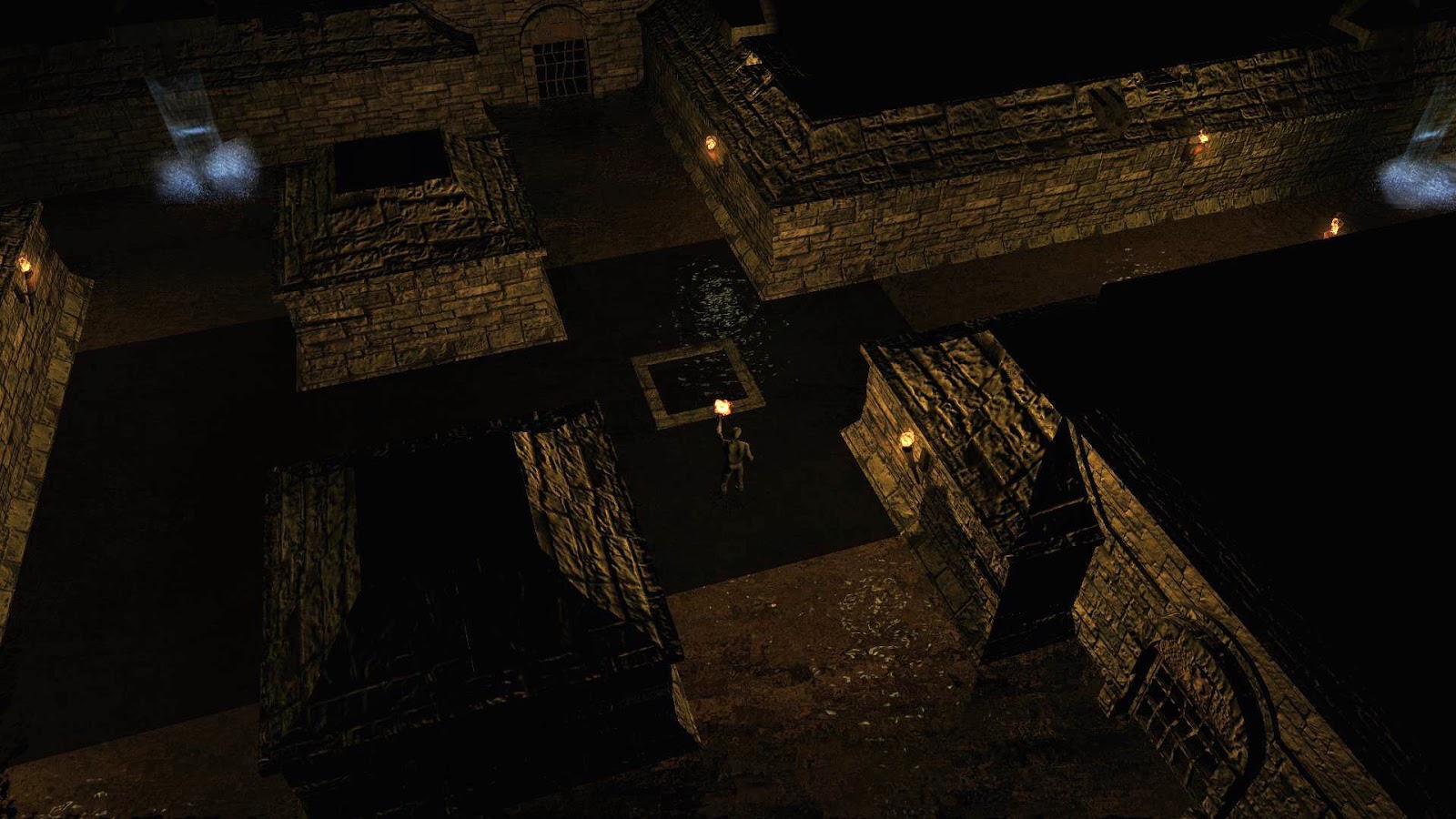
What I can report is that I have been doing a little interior designing to one of the main dungeons the player has to negotiate, as well as adding some encounters and puzzles. For the time being, here are a couple of screenshots from that area, which show some progress, but not as much as normal.

The crypt has some life after all!

This lock is guarded by Rune Magik
I'm not sure how much I will be up to doing over the next few days/weeks, but hope things work out as time goes by.

Monday, 28 October 2013

Adding Depth (Lore and Arcana)

Since the last post, I have been gradually typing up the background to my campaign so that I may add it to the "Arcana and Lore" section of the Main Menu. It's something easy to work on while I am still adjusting to the events of the last month. Originally, I had intended to add much of this material through various other gameplay aspects such as "readable" books and scrolls. However, having recently experienced the way the "Codex" had been implemented in Dragon Age, I considered some of this "background" information for my campaign is better handled in the same way. Note: I already had a Rule Information tab, which acts in a similar way to one aspect of the DA Codex, but I have now included the additional "Lore & Arcana" tab within the Main Menu to cover more detailed lore and background information of the campaign. i.e. The kind of stuff that I have written up as a "Dungeon Master" in a pen and paper game, which would normally not be directly available to the player.


The latest rendition of the Main Menu showing the Lore & Arcana tab.
The various aspects of Lore and Arcana will gradually be uncovered by the player as they adventure throughout the campaign. At each new discovery, a node will be unlocked in the tab conversation menu allowing the player to read as much of the information as they wish. Discoveries can be made through conversation or interaction with objects, and some bring XP awards for the PCs. So, whereas this kind of information may have once been presented in a readable book format, it will now be presented in the Main Menu after, for example, interacting with a book found laying on a podium. In each case, the latest lore or arcana information will be brought to the attention of the player by a new informative GUI.

The PC has just picked up some campaign background lore by reading a book.
Now the player can use the Main Menu to navigate to the information they have just learned, which remains accessible throughout the campaign. This information is mainly background, but does also serve to help give the player clues and information that may help them understand more about their environment and of items that may be of interest to them. At the very least, it may help to explain the reasons behind the way the campaign is built.

Some religious lore indicating how death was not always present in Althéa.
The more astute reader may also notice the new scroll bar I have adopted for some of my menus, as seen in the last picture.

I have typed up quite a few pieces of information now, but still have some to go, which I will deal with as I get the time. However, I hope to turn my attention back towards coding one of the dungeons I was working on before I started this.

Tactical Pausing Combat System

One last point I wanted to mention is that I managed to allow PCs to swap weapons while the game is paused. I did this by allowing the game to very briefly un-pause the game (for 0.1 seconds) when the weapon was double-clicked on from either the PC's inventory or one of their hotbars. This small addition to the Tactical Combat System included with the campaign adds a further improvement for those who like to use the pause facility to slow down combat for more of a tactical approach.

While I am on the subject of the Tactical Combat System, is there anything else readers would like me to consider for this system? E.g. I am also considering looking at "instant potions". And for those that might mention "pause at the start of an encounter", well that is already in, as well as optional hit point bars for enemies.